
Organize your project for Claude Code
Give Claude clear instructions, useful project history, and a precise role. A practical guide with copyable templates and a starter kit.
התוכן זמין באנגלית. התרגום יגיע בהמשך.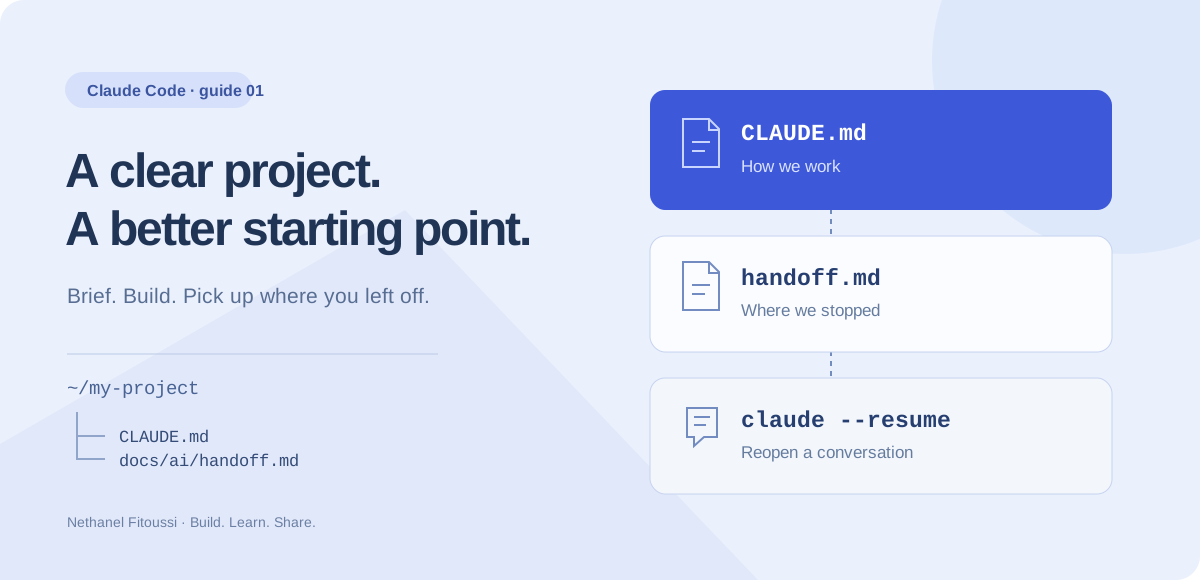
Start here: why this guide is useful
A new AI session forgets your project conventions and repeats yesterday’s mistakes. Use this guide to create concise project instructions, a useful history and a clear response contract. The outcome is a repository an assistant can orient itself in: current rules in CLAUDE.md, decisions in the agreed history and an evidence-based handoff. It is not unlimited automatic memory.
A concrete example
The following is an illustrative response format, not the result of an audit of your application. Use it to recognise what a useful answer should contain. Follow the detailed steps below, then compare the actual files, tests or output with this target. If the assistant only says “done”, ask for the changed artifact, the evidence and what remains unverified.
Read: CLAUDE.md and the latest handoff.
Task understood: fix the selected issue within the stated scope.
Report: changed files, actual checks, assumptions and next action.
You open Claude, explain your project, make progress… and spend the next session explaining it again. A little structure makes the next conversation much easier to start.
This guide is for Claude Code, the coding tool you run in your project. The files and terminal commands below do not automatically configure a normal chat on claude.ai.
1. Give everything a place
Start with this small layout. The docs/ai/ folder is our suggested convention, not a special Claude Code feature.
my-project/
├── CLAUDE.md                 # Stable project instructions
├── README.md                 # How the project works
├── docs/
│   └── ai/
│       ├── handoff.md         # Current task and next step
│       └── decisions.md       # Important choices and reasons
└── src/                      # Your application code
Put the main CLAUDE.md in the project root. Personal preferences that apply across your projects can live in ~/.claude/CLAUDE.md. Larger projects can add a local CLAUDE.md inside a module for its specific conventions.
Start small: one root file and one handoff are enough. Add more files when you have a real reason to separate them.
2. Write a useful CLAUDE.md
Keep the instructions relevant and concrete. Describe the product, the commands you actually use, your working rules, and what a helpful answer looks like. Avoid pasting a complete chat transcript into this file.
Here is an original starter template. Replace the bracketed details with facts from your repository. The command names are examples for a JavaScript project: verify or replace them before using them.
# Project
Product: [what this application does and for whom]
Stack: [the actual languages, framework and database]
Important folders: [where the relevant code lives]

# Commands — verify these for this repository
- Start development: npm run dev
- Run tests: npm test
- Build: npm run build

# How to work
- Act as a practical senior engineer familiar with this stack.
- Read the relevant files before proposing a change.
- For a bug, reproduce it and explain the likely cause first.
- Keep changes focused and follow existing conventions.
- Ask when missing information would change the solution.
- Confirm before production deployment or destructive data changes.
- Never put passwords, tokens or personal data in these notes.

# Continuity
- At the start of a resumed task, read docs/ai/handoff.md.
- Record important choices and reasons in docs/ai/decisions.md.
- Before finishing, update the handoff with verified facts.

# Answers
- Reply in English using clear, concise language.
- Start with the result or the next useful decision.
- Name the files changed and explain why.
- List checks actually run and their results.
- State any remaining uncertainty or unfinished work.
From inside Claude Code, /init can help create an initial project briefing. Review what it produces. Use /context to inspect loaded context and /memory to inspect the memory files.
3. Give the task a role, a goal and an answer format
“You are an expert” leaves most of the work undefined. A useful brief says what Claude should investigate, what success means, and what you expect back.
Keep the lasting role in CLAUDE.md. Put the specific task in your message. For example:
Role: Work as a senior developer on this existing application.
Context: The project listing already has categories and a search box.
Goal: Make category selection and search work together.
Constraints: Reuse the existing design and do not add a dependency.
First: Read CLAUDE.md, docs/ai/handoff.md and the relevant files.
Check: Verify a category alone, a search alone, and both together.
Answer: Explain the result, files changed, checks run and open issues.
If a requirement is unclear, ask one focused question before coding.
For an unfamiliar area, add “Explain the approach before editing.” For a learning session, add “Explain the reason for each important step.” A role helps set perspective; precise acceptance criteria make the result reviewable.
4. Know which history you mean
There are three different kinds of continuity. Use each for its own job.
- Conversation history: reopen the discussion through Claude Code’s session controls. By default, transcripts live at
~/.claude/projects/<project>/<session-id>.jsonl. Let the tool manage them; use/exportif you need a readable copy. - Auto memory: when enabled, Claude keeps selected learnings in a local project memory directory, normally
~/.claude/projects/<project>/memory/. This is not a complete transcript or a shared team handoff. Inspect it with/memory. - Project handoff: a short file in your repository, such as
docs/ai/handoff.md, that you deliberately ask Claude to read and update. Teammates can review it alongside the code.
Do not rely on an old conversation or auto memory as your only record of an important decision. Write the decision down in the project, with its reason.
5. Keep a short, honest handoff
A useful handoff tells the next session what is true now. Update the current state instead of appending every message forever. Separate completed work from things that were only proposed.
# Current task
Make category filtering and search work together.

## Done
- Located the filtering logic and relevant UI components.
- Agreed that the selected category also limits search results.

## Verified
- Existing project tests passed before changes.
- Combined filtering has not been tested yet.

## In progress
- Implementation is not finished.

## Next step
Add the combined filtering case, implement it, then verify the UI.

## References
- Relevant files: [actual repository paths]
- Decisions: docs/ai/decisions.md
In decisions.md, record a date, the choice, and a sentence explaining why. For example: “2026-10-24 — Reuse the existing search function so category filtering and keyword matching follow one consistent rule.”
The handoff is only useful if Claude reads it. Mention it in the project instructions and in your restart message. Simply placing a Markdown file in docs/ does not automatically load it.
6. Continue the right conversation
From your project directory, use this terminal command to continue its most recent conversation:
claude --continueUse claude --resume to choose a saved conversation. From inside an existing Claude Code session, /resume also opens the session picker. Availability depends on the sessions stored for your environment.
/compactsummarizes the current conversation to free context. A summary can omit detail, so keep important decisions in project files./clearstarts a fresh conversation context. It does not replace a handoff or delete your project instructions./memorylets you inspect the memory setup rather than guessing what Claude remembers.
For a clean restart, send: “Read CLAUDE.md and docs/ai/handoff.md. Summarize the current state, point out anything that needs checking, and continue with the next step.”
7. Close each session properly
Before you stop, give Claude this handoff request.
Update docs/ai/handoff.md with the current goal, completed work,
checks actually run, unfinished work and the next concrete step.
Record important decisions and their reasons in docs/ai/decisions.md.
Do not copy the whole conversation or include secrets.
Do not claim a check passed unless you ran it.
Then give me a short restart message for the next session.
That last sentence turns “Where were we?” into a practical next action. Read the handoff yourself before trusting it.
8. Your five-minute setup
- Add a short
CLAUDE.mdat your project root. - Replace the example commands with commands verified for your project.
- Create the handoff and decision files only where they are useful.
- Start one small task with a goal, constraints and a check.
- Verify the result, update the handoff, and review the changes.
Download the starter kit with CLAUDE.md, both note templates, and a short setup README. Unzip into a temporary folder first and merge with existing files rather than overwriting your instructions.
Official references
Checked on October 24, 2026. The examples and docs/ai/ layout are our suggested workflow; these links describe Claude Code’s built-in behavior.
- Project instructions and memory
- Manage and resume sessions
- Command-line reference
- Effective working practices
- Context and prompting basics
מכאן לפרויקט שלכם
הורידו את הקבצים, שמרו את המדריך או תנו לעוזר הפיתוח תיאור משימה מוכן.
מכינים את הפרויקט עם AI
העתיקו את הפרומפט באנגלית לעוזר הפיתוח. הוא כולל את המאמר, הקבצים הזמינים ושלבי ההכנה.
הצגת פרומפט ההכנה
Read this tutorial as reference material:
https://nethanelfitoussi.com/article/claude-md-project-organization?lang=en

Goal: apply the documented workflow to my development project.
Read the existing project instructions, inspect the relevant files and explain the smallest useful setup.

Available starter files:
https://nethanelfitoussi.com/tutorials/claude-project-starter.zip
Download and inspect these files in a temporary folder before using them. Do not overwrite existing project instructions.

If I have not supplied a project folder, ask which development project to use. Do not invent a repository URL.

Adapt example paths, commands and acceptance criteria to this repository rather than assuming they match.

Give me a short plan, then make the agreed local changes and run the relevant checks. Report actual results and anything not verified. Stop before credentials, paid services, production changes, push, merge or deployment.ממשיכים ללמוד

LLM, RAG או סוכן AI? להבין את ההבדלים עם מקרה מעשי מלא
מדריך מעמיק על ידע של מודל, ראיות ממסמכים ושימוש בכלים. נעקוב אחרי בקשת תמיכה אחת, מעצה כללית ועד טיוטה מבוקרת, עם תרשימים, דוגמאות, פרומפטים באנגלית ופרויקט להפעלה.

בניית RAG שקורא PDF עם n8n: עוזר למציגים, שלב אחר שלב עם צילומי מסך
עוזר שמחבר תוכנית, מדריך מציגים ומידע על המקום להכנת ההגעה. מדריך עם צילומי n8n אמיתיים, קובצי PDF, תהליכים לייבוא, AI מקומי ובדיקת מקורות.

מיון תלויות פגיעות עם AI בלי לכפות עדכון גורף
לקרוא npm audit, להפריד חומרה מחשיפה בפועל ולאמת עדכון תואם. כולל דוח בדיוני וחמש בדיקות.